
Production debugging for AI coding agents
Turn production errors into agent-ready debug bundles
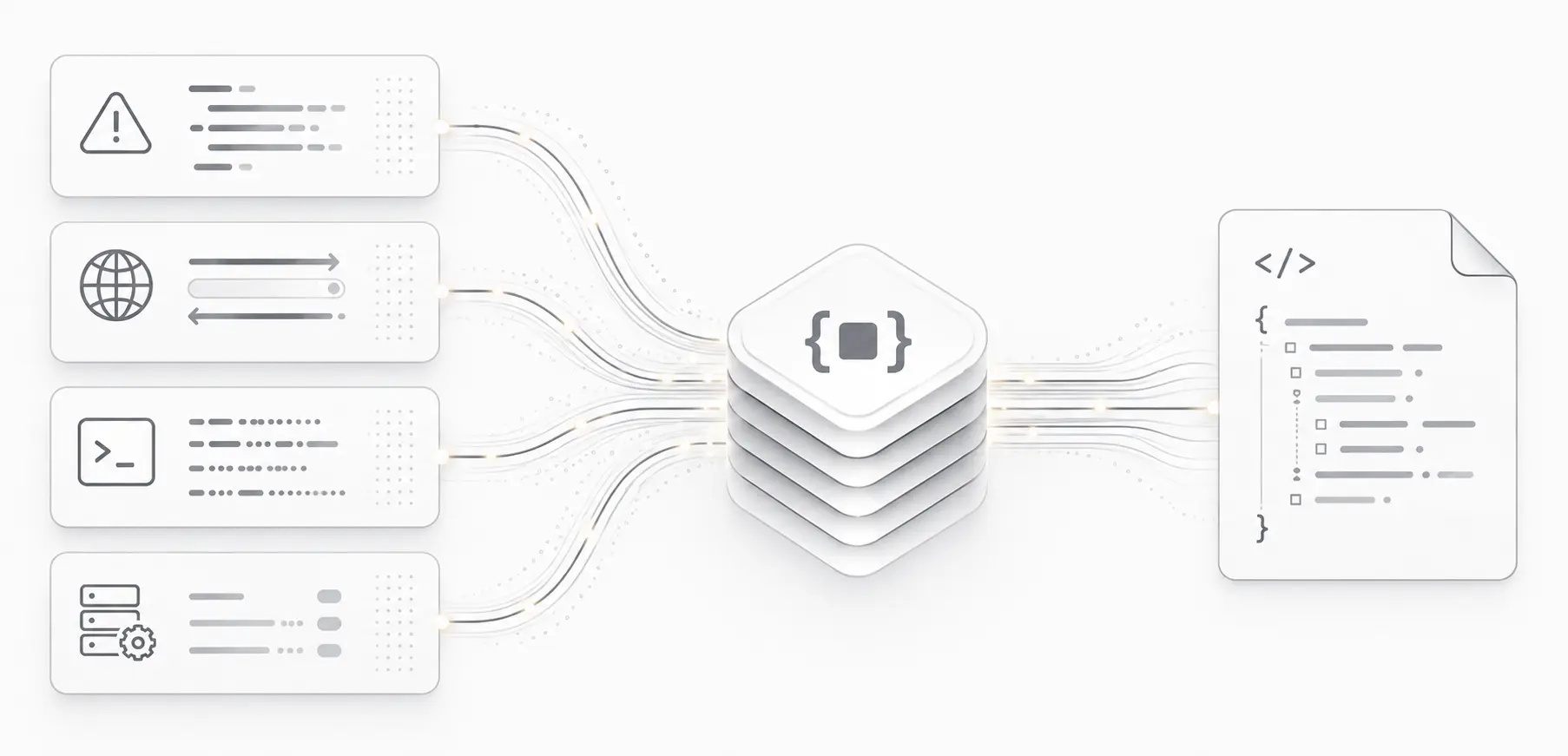
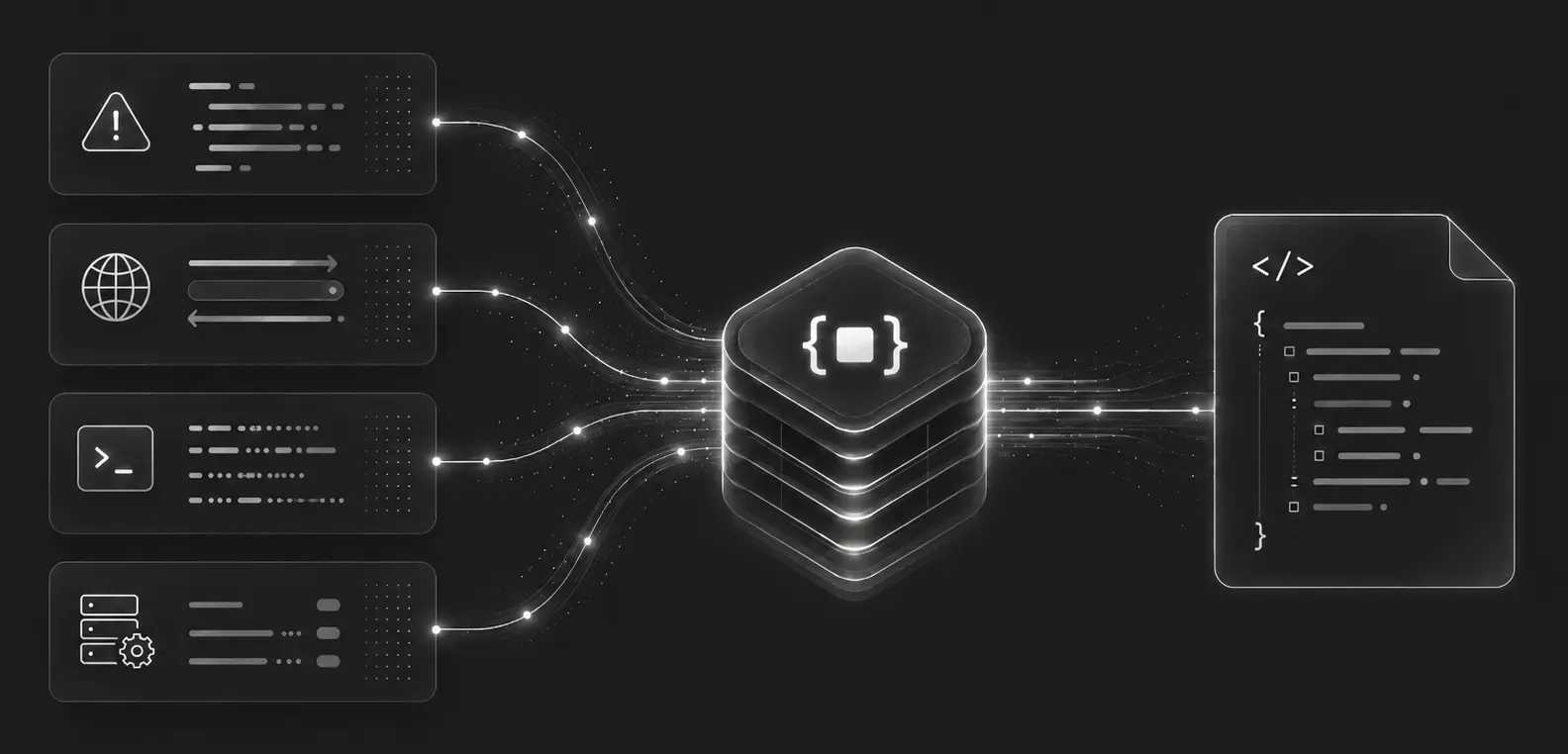
DebugBundle captures errors and surrounding context at the moment of failure and packages them into one structured artifact: the debug bundle.
Open sourceGet started free
checkout.bundle.json
Synthetic example · No customer data
- What failed
- POST /checkout returned 500
- Where to look
src/checkout.ts:42
Cannot read properties of null (reading 'currency')- What happened before
- No pricing configuration found for shipping country
- Release captured with the incident
- checkout-1.4.0
A request replay is included. An agent still needs to check the application state and verify a fix in a test environment.
{
  "bundle_type": "failure",
  "context": {
    "request": {"method":"POST","path":"/checkout"},
    "response": {"status_code":500},
    "error": {
      "name": "TypeError",
      "message": "Cannot read properties of null (reading 'currency')"
    },
    "deploy": {
      "deploy_version": "checkout-1.4.0"
    }
  },
  "reproduction": {
    "possible": true,
    "reason": "request_context_available"
  }
}
Inspect complete JSON
{
  "bundle_version": 1,
  "bundle_id": "bnd_inc_checkout_demo",
  "bundle_type": "failure",
  "captured_at": "2026-09-07T10:15:00.000Z",
  "sdk": {
    "name": "@debugbundle/sdk-node",
    "version": "1.6.0"
  },
  "project": {
    "id": "proj_demo",
    "slug": "proj_demo",
    "environment": "production"
  },
  "service": {
    "id": "svc_checkout_demo",
    "name": "checkout-api",
    "runtime": "node",
    "framework": "fastify",
    "version": null,
    "region": null
  },
  "signal": {
    "signal_id": "00000000-0000-4000-8000-000000000111",
    "signal_type": "exception",
    "severity": "high",
    "fingerprint": "fp_checkout_demo",
    "first_seen_at": "2026-09-07T10:15:00.000Z",
    "last_seen_at": "2026-09-07T10:15:00.000Z",
    "occurrence_count": 1,
    "source_event_types": [
      "backend_exception",
      "log_event"
    ]
  },
  "summary": {
    "title": "Cannot read properties of null (reading 'currency')",
    "description": "Deterministic bundle generated from new_context_type",
    "likely_cause": "TypeError occurred while handling POST /checkout in src/checkout.ts.",
    "confidence": 0.65,
    "recommended_action": "Inspect the first application frame in src/checkout.ts and the captured request/response context.",
    "severity": "high",
    "error_type": "TypeError",
    "error_message": "Cannot read properties of null (reading 'currency')",
    "first_application_frame": {
      "file": "src/checkout.ts",
      "line": 42,
      "function": "createCheckout"
    },
    "primary_signal": "exception",
    "signals": {
      "new_deploy": false,
      "regression_suspected": false,
      "customer_visible": false
    }
  },
  "impact": {
    "affected_users_estimate": null,
    "affected_requests_estimate": null,
    "business_criticality": "high",
    "customer_visible": false,
    "regression_suspected": false
  },
  "context": {
    "error": {
      "version": 1,
      "name": "TypeError",
      "message": "Cannot read properties of null (reading 'currency')",
      "stack": "TypeError: Cannot read properties of null (reading 'currency')\n    at createCheckout (src/checkout.ts:42:19)",
      "handled": false,
      "top_frames": [
        "at createCheckout (src/checkout.ts:42:19)"
      ]
    },
    "request": {
      "version": 1,
      "method": "POST",
      "path": "/checkout",
      "route_template": "/checkout",
      "query": {},
      "headers": {
        "host": "checkout.example.invalid",
        "content-type": "application/json",
        "authorization": "[REDACTED]"
      },
      "body": {
        "cart_id": "cart_demo",
        "shipping_country": "DE"
      },
      "request_id": null
    },
    "response": {
      "version": 1,
      "status_code": 500,
      "duration_ms": null
    },
    "logs": {
      "version": 1,
      "items": [
        {
          "level": "warn",
          "message": "No pricing configuration found for shipping country",
          "timestamp": "2026-09-07T10:14:59.900Z",
          "attributes": {
            "shipping_country": "DE"
          }
        }
      ]
    },
    "frontend": null,
    "environment": null,
    "deploy": {
      "version": 1,
      "commit_sha": "a1b2c3d4e5f60123456789abcdef0123456789abcd",
      "deploy_version": "checkout-1.4.0",
      "branch": "main",
      "deployed_at": "2026-09-07T10:00:00.000Z",
      "regression_window": false
    },
    "runtime": {
      "version": 1,
      "name": "node",
      "runtime_version": "24.0.0",
      "platform": null,
      "arch": null,
      "pid": null,
      "cwd": null,
      "uptime_sec": null,
      "hostname": null,
      "thread_id": null,
      "framework": "fastify",
      "framework_version": null,
      "memory": null,
      "framework_extras": null
    },
    "git": {
      "version": 1,
      "commit": "a1b2c3d4e5f60123456789abcdef0123456789abcd",
      "commit_short": "a1b2c3d",
      "branch": "main",
      "repo": null,
      "dirty": false,
      "source": "env"
    },
    "dependencies": null,
    "probe_data": {
      "version": 1,
      "items": []
    },
    "device": null
  },
  "reproduction": {
    "possible": true,
    "confidence": 0.8,
    "reason": "request_context_available",
    "artifacts": {
      "curl": "curl -X POST 'https://checkout.example.invalid/checkout' -H 'authorization: [REDACTED]' -H 'content-type: application/json' --data-raw '{\"cart_id\":\"cart_demo\",\"shipping_country\":\"DE\"}'",
      "httpie": "printf '%s' '{\"cart_id\":\"cart_demo\",\"shipping_country\":\"DE\"}' | http POST 'https://checkout.example.invalid/checkout' 'authorization:[REDACTED]' 'content-type:application/json'",
      "json_spec": {
        "method": "POST",
        "url": "https://checkout.example.invalid/checkout",
        "headers": {
          "authorization": "[REDACTED]",
          "content-type": "application/json"
        },
        "body": {
          "cart_id": "cart_demo",
          "shipping_country": "DE"
        }
      }
    },
    "feasibility_reference": null
  },
  "verification": {
    "verification_type": null,
    "synthetic": true,
    "local_verified": false,
    "production_verified": false
  },
  "links": {
    "self": null,
    "reproduction": null,
    "incident": null,
    "project": null,
    "docs": null
  },
  "redaction": {
    "redacted": true,
    "fields": [
      "context.request.headers.authorization"
    ],
    "notes": "Sensitive bundle fields were redacted before storage."
  },
  "metadata": {
    "created_at": "2026-09-07T10:15:00.000Z",
    "updated_at": "2026-09-07T10:15:00.000Z",
    "generator_version": "worker-build-bundle-v2",
    "generation_number": 1
  }
}The error and its context.
In one structured debug bundle.
A deterministic, versioned JSON document that gives your agent a consistent starting point for investigation.
Your agent can take it from here.
Once connected, your agent can find incidents, retrieve their bundles, and investigate alongside your code.
Know when errors happen
Once installed, DebugBundle automatically captures runtime errors and groups them into incidents. Configure alerts to get notified when failures need attention.
Your agent gets the bundle
Connect through MCP, CLI, or API so your agent can find incidents and fetch the evidence directly, without a manual file handoff.
Automate the follow-up
Configure a webhook or GitHub workflow to trigger your agent when a bundle is ready, with your own tests and review steps.
Give your agent the context it needs. Limit what you share.
How DebugBundle handles your dataFocused incident context
Review relevant errors, requests, and runtime details in a structured bundle.
Controls before sharing
Choose what to capture, add redaction rules, and inspect evidence before sending it to an agent.
Access you choose
Connect through the tools you authorize and keep direct logging-platform access separate.
DebugBundle gathers incident evidence so your agent can investigate without a direct login to your logging platform. Redaction reduces known sensitive values; your capture settings and the connection you grant still matter.
Capture your first debug bundle.
Let your coding agent set up DebugBundle, or follow the CLI and SDK guides. Start locally without an account, or connect to the hosted service.
Agent Path
Set up DebugBundle for this repository end to end. Inspect the project language, framework, package manager, entry points, logging setup, and whether it has a frontend, browser surface, or server-rendered UI. Read the relevant DebugBundle docs: https://debugbundle.com/docs/installation, https://debugbundle.com/docs/quickstart, https://debugbundle.com/docs/project-setup/connect-to-cloud, https://debugbundle.com/docs/cli/cloud-workflow, https://debugbundle.com/docs/cli/local-workflow, https://debugbundle.com/docs/sdks, https://debugbundle.com/docs/integrations/wordpress, and https://debugbundle.com/docs/agent-workflows/skill-file. Run `debugbundle setup`, then read and follow `.agents/skills/debugbundle/SKILL.md`. Choose Cloud mode for hosted deployment or shared incident workflows; otherwise use local-only mode. If Cloud is appropriate, run `debugbundle login` and `debugbundle connect`. Install the smallest safe integration path: backend SDK, WordPress plugin, or log ingestion. If the repository or deployment target is WordPress, use the DebugBundle WordPress plugin instead of installing the PHP SDK or Browser SDK directly on the WordPress host; still keep the `debugbundle setup` scaffold in the repo, but let the plugin own backend capture, browser capture, relay setup, and token storage. For browser-capturable UI, also install the Browser SDK and configure same-origin relay for full-stack apps or direct capture for frontend-only apps. Configure required env vars or tokens. Trigger one intentional test error through the real ingestion path. Verify with `debugbundle verify cloud` or `debugbundle verify local`, then show the incident using `debugbundle incidents --source cloud|local` and inspect it with `debugbundle inspect <incident-id>`.Use this prompt to let your coding agent set up and choose the right DebugBundle mode.
CLI
npm install -g @debugbundle/cli
debugbundle --version

debugbundle setup
Install the CLI, confirm it is available, then scaffold the project. Follow Quickstart for the full setup flow.
SDKs
npm install @debugbundle/sdk-nodeimport DebugBundle from '@debugbundle/sdk-node';
DebugBundle.init({
projectToken: 'local',
environment: 'production',
service: 'api',
});More tools for the investigation.
Detect failures, gather more context, and decide what needs attention. Available capabilities depend on your plan and connection.
Critical-path alerts
Bring failures on important routes, jobs, and services to attention.
Health checks
Open an incident when a public endpoint stays unreachable.
Product impact
Use opt-in analytics to understand affected journeys and friction.
Remote probes
Request more diagnostic context from probes in your running app.
Improvement opportunities
Investigate recurring warnings and slow request patterns.
Incident to pull request
Pass bundle evidence to a repository workflow that proposes a fix.
Work through your agent.
Or explore it yourself.
Open dashboardThrough your agent
Let your agent find incidents, retrieve bundles, and investigate through MCP or CLI.
In the dashboard
Inspect the evidence and manage your projects visually whenever you want.
In your workflows
Use the API and webhooks to connect DebugBundle to your existing tools and automation.
The same core capabilities are available through the dashboard, API, CLI, and MCP. Choose the interface that fits your workflow.
Evidence you can inspect.
Explore the schemaStructured
Versioned JSON keeps errors, requests, logs, and other captured context in defined fields.
Repeatable
The same inputs produce the same bundle. New evidence can update the incident’s active bundle.
Privacy-aware
Capture controls govern what is collected. Sensitive fields are redacted before storage.
Let your agent investigate production errors.
Start with a test error. Your agent can retrieve a structured debug bundle and investigate alongside your code, grounded in captured runtime evidence.